d

Excel Healthcare KPI Dashboard


Health KPI dashboard template is our first attempt to develop computer graphics style dashboard using Excel infogaphics male and female elements.


Microsoft Excel 2013 Short Cut Keys: Alt + WG (Normal View Excel Sheet)


Zoom to Selection

Microsoft Excel 2013 Short Cut Keys:  Alt + W+G
Hit the Alt key. Then type WG (one key at a time).


Zoom to Selection
Zoom the sheet so the selected range of cells fills the entire window.
This can help you focus on a specific area of the sheet.


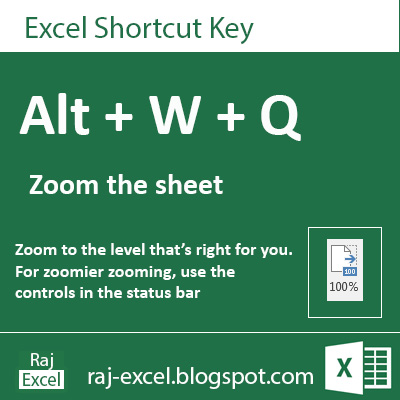
Microsoft Excel 2013 Short Cut Keys: Alt + WQ (Zoom the Sheet)


Zoom the Excel Sheet

Microsoft Excel 2013 Short Cut Keys:  Alt + W+Q 
Hit the Alt key. Then type WQ (one key at a time).


Zoom the Excel worksheet
Zoom to the level that's right for you.
For zoomier zooming, using the controls in the status bar


Microsoft Excel 2013 Short Cut Keys: Alt + WQ  (Zoom the Sheet)
raj-excel.blogspot.com (Shortcut keys) - Zoom the sheet

Microsoft Excel 2013 Short Cut Keys: Alt + WP (Page Layout View)


Page Layout View

Microsoft Excel 2013 Short Cut Keys:  Alt + W+P 
Hit the Alt key. Then type WP (one key at a time).


Page Layout View
See how your printed document will look.
This is a good way to check out where pages begin and end. and to see any headers/footers on the page.


Microsoft Excel 2013 Short Cut Keys: Alt + WP (Page Layout View)
raj-excel.blogspot.com (shortcut keys) - Page Layout view

Using of SUMIFS function in Excel


SUMIFS function


Adds the cells in a range that meet multiple criteria. For example, if you want to sum the numbers in the range A1:A9 only if the corresponding numbers in B1:B9 are greater than zero (0) and the corresponding numbers in C1:C9 are less than 10, you can use the following formula:

=SUMIFS(A1:A9, B1:B9,"=A*", C1:C9,1)


Microsoft Excel 2013 Short Cut Keys: Alt + WL (Normal View Excel Sheet)


Normal View the Excel Sheet

Microsoft Excel 2013 Short Cut Keys:  Alt + W+L 
Hit the Alt key. Then type WL (one key at a time).


Normal View
See your document in normal view.


Microsoft Excel 2013 Short Cut Keys: Alt + WL (Normal View Excel Sheet)
raj-excel.blogspot.com

Microsoft Excel 2013 Short Cut Keys: Alt + WJ (100% Zoom of Excel Sheet View)


100% Zoom of Excel Sheet View

Microsoft Excel 2013 Short Cut Keys:  Alt + W+J 
Hit the Alt key. Then type WJ (one key at a time).


Filter the Data
Zoom your documents 100%. Excel sheet view in actual 100% view.


Microsoft Excel 2013 Short Cut Keys: Alt + WJ (100% Zoom of Excel Sheet View)
raj-excel.blgospot.com


Microsoft Excel 2013 Short Cut Keys: Alt + WI (Page Break Preview)


Page Break Preview

Microsoft Excel 2013 Short Cut Keys:  Alt + W+I 
Hit the Alt key. Then type WI (one key at a time).


Filter the Data
See where the page break will appear when your documents is printed.


Microsoft Excel 2013 Short Cut Keys: Alt + WI (Page Break Preview)
raj-excel.blogspot.com


Microsoft Excel 2013 Short Cut Keys: Alt + WC (Custom View)


Custom View

Microsoft Excel 2013 Short Cut Keys:  Alt + W+C 
Hit the Alt key. Then type WC (one key at a time).


Filter the Data
Save your current display and print settings as a custom view that you can quickly apply in the future.


Recommended for You

LinkWithin

Related Posts Plugin for WordPress, Blogger...