d
Showing posts with label Excel 2013. Show all posts

Close All file on a single click in Excel 2013 and 2016

Close All file on a single click in Excel 2016

In Excel 2013 & 2016 All the excel files open in separate window so it's not possible to close all the opened file at once. This is by default, there is no option to close all excel workbook/files at once in version 2013 & 2016.
Previous version of Excel workbook/file opened in one window and we can easily have closed all the files just using the Alt+F4. Excel 2013 each excel file open on separate window and continue in 2016 version.
For example, if we have 10 files open we must close all the files separately or hit the Alt+F4 command 10 times.


Excel Shortcut Key: Ctrl + T / Ctrl + L or Alt + N+T (Create a Table)

HTML4

Ctrl + T / Ctrl + L or Alt + N+T

Create a Table
Create a table to organize and analyze related data.
Tables make it easy to sort, filter and format data within a sheet.

<!-- RajExcel 300x250

For Create a Table - Step by Step Tutorial Click here
-->

Excel Healthcare KPI Dashboard


Health KPI dashboard template is our first attempt to develop computer graphics style dashboard using Excel infogaphics male and female elements.


Microsoft Excel 2013 Short Cut Keys: Alt + WG (Normal View Excel Sheet)


Zoom to Selection

Microsoft Excel 2013 Short Cut Keys:  Alt + W+G
Hit the Alt key. Then type WG (one key at a time).


Zoom to Selection
Zoom the sheet so the selected range of cells fills the entire window.
This can help you focus on a specific area of the sheet.


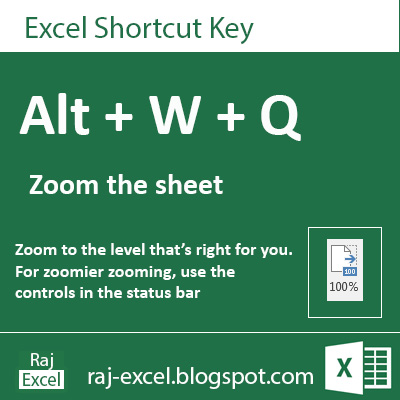
Microsoft Excel 2013 Short Cut Keys: Alt + WQ (Zoom the Sheet)


Zoom the Excel Sheet

Microsoft Excel 2013 Short Cut Keys:  Alt + W+Q 
Hit the Alt key. Then type WQ (one key at a time).


Zoom the Excel worksheet
Zoom to the level that's right for you.
For zoomier zooming, using the controls in the status bar


Microsoft Excel 2013 Short Cut Keys: Alt + WQ  (Zoom the Sheet)
raj-excel.blogspot.com (Shortcut keys) - Zoom the sheet

Microsoft Excel 2013 Short Cut Keys: Alt + WP (Page Layout View)


Page Layout View

Microsoft Excel 2013 Short Cut Keys:  Alt + W+P 
Hit the Alt key. Then type WP (one key at a time).


Page Layout View
See how your printed document will look.
This is a good way to check out where pages begin and end. and to see any headers/footers on the page.


Microsoft Excel 2013 Short Cut Keys: Alt + WP (Page Layout View)
raj-excel.blogspot.com (shortcut keys) - Page Layout view

Using of SUMIFS function in Excel


SUMIFS function


Adds the cells in a range that meet multiple criteria. For example, if you want to sum the numbers in the range A1:A9 only if the corresponding numbers in B1:B9 are greater than zero (0) and the corresponding numbers in C1:C9 are less than 10, you can use the following formula:

=SUMIFS(A1:A9, B1:B9,"=A*", C1:C9,1)


Microsoft Excel 2013 Short Cut Keys: Alt + WL (Normal View Excel Sheet)


Normal View the Excel Sheet

Microsoft Excel 2013 Short Cut Keys:  Alt + W+L 
Hit the Alt key. Then type WL (one key at a time).


Normal View
See your document in normal view.


Microsoft Excel 2013 Short Cut Keys: Alt + WL (Normal View Excel Sheet)
raj-excel.blogspot.com

Microsoft Excel 2013 Short Cut Keys: Alt + WJ (100% Zoom of Excel Sheet View)


100% Zoom of Excel Sheet View

Microsoft Excel 2013 Short Cut Keys:  Alt + W+J 
Hit the Alt key. Then type WJ (one key at a time).


Filter the Data
Zoom your documents 100%. Excel sheet view in actual 100% view.


Microsoft Excel 2013 Short Cut Keys: Alt + WJ (100% Zoom of Excel Sheet View)
raj-excel.blgospot.com


Microsoft Excel 2013 Short Cut Keys: Alt + WI (Page Break Preview)


Page Break Preview

Microsoft Excel 2013 Short Cut Keys:  Alt + W+I 
Hit the Alt key. Then type WI (one key at a time).


Filter the Data
See where the page break will appear when your documents is printed.


Microsoft Excel 2013 Short Cut Keys: Alt + WI (Page Break Preview)
raj-excel.blogspot.com


Microsoft Excel 2013 Short Cut Keys: Alt + WC (Custom View)


Custom View

Microsoft Excel 2013 Short Cut Keys:  Alt + W+C 
Hit the Alt key. Then type WC (one key at a time).


Filter the Data
Save your current display and print settings as a custom view that you can quickly apply in the future.


Fill flash is a new feature in Excel 2013


You have the information in Excel is not formatted the way it needs to be, and going through the whole list manually to correct is daunting. Sometimes it is necessary to introduce a lot of repetitive information in Excel, such as dates, and can be very tedious. But the AutoFill feature can help. AutoFill and Flash Fill both are huge time savers.


Print Excel Sheet with comments box

How to print excel sheet with comments box

Ans:   In Microsoft Excel comments box not print as default. 
Here is the easy step by step tutorial with snap shots
Here is the sheet you want to print the data with comments box

First step select the data with the comments.


Microsoft Excel 2013 Short Cut Keys: Ctrl + Shift + L (Filter the Data)


Filter the data

Microsoft Excel 2013 Short Cut Keys: Ctrl + Shift + L 
or Alt + H+S+S 
Hit the Alt key. Then type HSS (one key at a time).


Filter the Data
Turn on filtering for ht selected cells. Then, click the arrow in the column header to narrow down the data.

Microsoft Excel 2013 Short Cut Keys: Ctrl + Shift + L (Filter the Data)
https://raj-excel.blogspot.com (Shortcut of Filter the data)


Microsoft Excel 2013 Short Cut Keys: Alt + HSS (Sort Data Smallest to Largest)


Sort Smallest to Largest

Microsoft Excel 2013 Short Cut Keys: Alt + H+S+S 
Hit the Alt key. Then type HSS (one key at a time).


Sort smallest to largest 
Sort the selected data smallest to largest or lowest to highest.


Clean excess cell formatting on a worksheet


Formatting cells in your spreadsheet can make the right information easy to see at a glance, but the cells that are not used (rows and columns particular integer) formatting can cause the size of your file workbook to grow rapidly. This can slow down not only Excel, but the overall performance of your computer when you have a spreadsheet formatted too open. Excessive formatting can also cause printing problems in Excel.

How to enable INQUIRE Tab in Ribbon on Excel 2013


Excel's Inquire tab available in Microsoft Office 365 and Office Professional Plus 2013. If you don't see the Inquire tab in Excel, do the following to enable the Inquire add-in:


How to Show / Add Developer tab in Excel 2013


The Developer tab is not displayed by default, but you can add it to the ribbon


Tips of the Day: Microsoft Excel 2013 Short Cut Keys: Alt + WVG (Show or Hide Gridlines)


Show or Hide Gridlines

Microsoft Excel 2013 Short Cut Keys: Alt + W+V+G 
Hit the Alt key. Then type WVG (one key at a time).


Show or Hide Gridlines
Show the lines between rows and columns in the sheet to make the sheet easier to read.
Hide the lines for view sheet as same as print view.

Microsoft Excel 2013 Short Cut Keys: Alt + WVG (Show or Hide Gridlines)
raj-excel.blogspot.com Show or Hide Gridlines (Alt + WVG)

Tips of the Day: Microsoft Excel 2013 Short Cut Keys: Alt + NH (Add a Header & Footer)


Add Header & Footer

Microsoft Excel 2013 Short Cut Keys: Alt + NH
Hit the Alt key. Then type NH (one key at a time).

Add Header & Footer
the content of the header and footer repeats at the top and bottom of each printed page.
This is useful for showcasing info, such file name, date and time.


Recommended for You

LinkWithin

Related Posts Plugin for WordPress, Blogger...